



What's New?

Friday, 26 December 2025 20:01

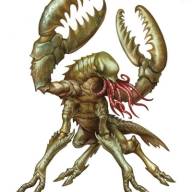
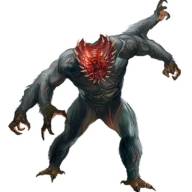
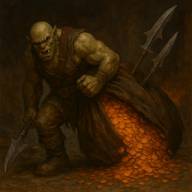
We started, back in the arena, facing a big monster emerging from the pile of garbage.  Somehow Oakwood went first and the Shanrigo Behemoth went last.  (Bizzarro world.)  He made...

Friday, 26 December 2025 19:50

After a short debate, we sold the two “evil” items from last time.  The thinking being, if they fall into the hands of an evil sort, they weren’t that useful anyway.  Those plus some...

Friday, 26 December 2025 19:35

Ollie, Periwinkle and Bell were added to the tracker.  About in the middle.  Brisco started a new round and did another AOE 3rd level Heal.  Once again, in a target rich...

Friday, 28 November 2025 18:36

We leveled up however the GM would not let us start the selling and buying until an upcoming encounter was resolved.  The sun was setting and we could see smoke at the front of the house as...

Friday, 28 November 2025 18:22

Brisco was the first hero to go, as usual.  His first inclination was to do Battlefield Medicine on TerStegan. However, because the monster had him in his tentacles, that was going to be...

Friday, 28 November 2025 18:09

They were down Oakwood and Xeelie but decided to press forward until they hit a fight where it was clear the smaller group was in over their heads. They crushed a group of Ice Cubes (frozen...

Sunday, 02 November 2025 19:08

We decided to deliver the head to the mummy in hopes of getting the pass key to the saw traps.  That way, we could finish off that level.  Just being in his presence caused everyone to...

Sunday, 02 November 2025 18:59

Brian healed us up at our cabin.  Since no one had any pressing business and Xeelie was not there to do any crafting projects, we decided to go back to the Gauntlight.  However, when we...

Sunday, 10 December 2023 20:59

  Adventurer Logs Character Histories Cultural Writeup House Rules Gods of the World World Maps

Sunday, 10 December 2023 20:25

Ravenloft Logs Heirlooms Character Histories

Sunday, 10 December 2023 19:45

   Deadwood Logs The Cast   Maps

Saturday, 24 October 2020 16:40

  Heirlooms: That which is most precious to us Grasp close the things for which you care most.  The Dragon Coin An ancient dragon coin from the time dragons and giants ruled the...

Saturday, 24 October 2020 16:18

  The Cast of Characters We are all just one big happy dysfunctional monster family!   Kaladin Half-Dragon   Kaladin’s mother,  Natrissa, and a rare winged...

Wednesday, 27 May 2020 19:49

{book height:700}{page}   This was going to be the last page.  Sort of an explanation of the entire story. {mp3}Princess_and_Potato_Alpha{/mp3} {/page}{page} Amazon had a...

  • Back
  • Next

Want to make your Article look good?  The built-in editor is actually pretty decent but there are a few things you can do to make your Article or Blog shine.


1) Make the Article have a background picture  (the picture does not auto-size and it tiles so this is actually not too useful) This must be entered in the "Code" tab and be the first line of your document

<div style="background-image: url('/images/users/userid#/YourBackgrounds.jpg');">


2) Background image with no tiling.

<div style="background-image: url('/images/stories/backgroundpix/bgpic1.jpg'); background-repeat: no-repeat">


3) Make the Article have a background color.  Replace the color code with your own color as found here.  This must be entered in the "Code" tab and be the first line of your document.  The</div> must be the last item in your text.

 <div class="art-post-body" style="background-color: #f8daff;"</div>


4) Is the Article too long?  Does the Blog push all the others down?  You could use the "Read More" button below the editor to create a break and a "Read More" link.  Or you might want to use the "Read More Pro" button.  The Pro option doesn't require that you select anything but you MUST click on it before you start the Article or Blog.  There are ways to get around this for existing Articles but you have to be comfortable editing the code.  The Pro button inserts the code <div class="article">Replace this with your own text!</div> into the body of the text but it's hidden unless you are in the "Code" tab.  If you want to add this latter you have to place "<div class="article">Replace this with your own text!" in front of all your text and "</div>" as the last part of your text.


You have hints you want to share?  Send me a message or add it to the suggestion box on the Forum!


X

Right Click

No right click